Astro vs Framer: What We Learned Building the Same Site Twice
Astro vs Framer, compared on one real site we built on both: design, motion, performance, editing, cost and what happens when you want to leave.
On this page
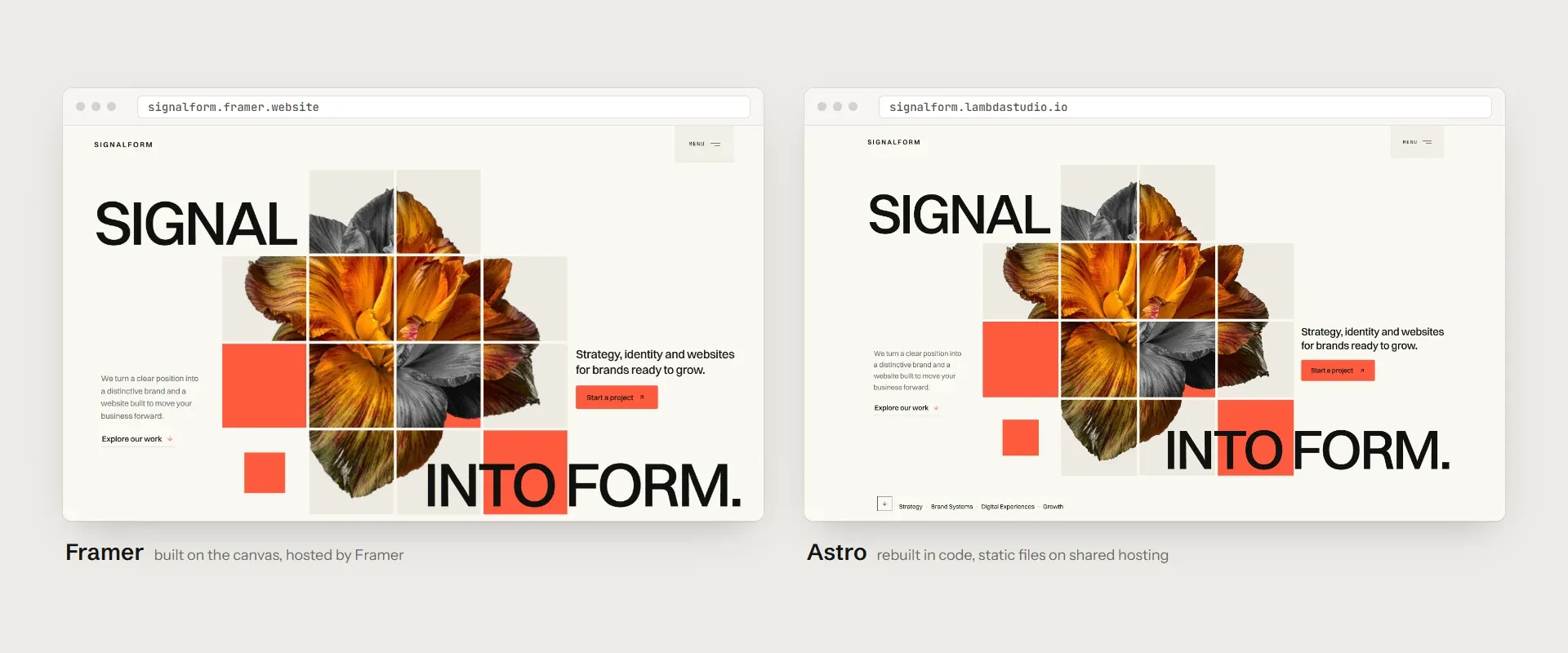
Most comparisons of Astro and Framer are written from one side of the fence. We ended up on both. We designed Signalform, an agency site, in Framer first, then rebuilt it page by page in Astro. Same design, two platforms, and both versions are still online.
Doing the work twice taught us more than any feature list. Here’s where each one shines, where each one gets in the way, and how to decide between them.
The short answer
Choose Framer if you think in canvases rather than code, if the people updating the site after launch don’t write code, or if you need something live this week. Choose Astro if you want to own the code, care about every kilobyte the page loads, or plan to run the site for years without a monthly bill per site.
Most of the rest of this post is about why those are the questions that matter.
Designing in Framer is fast, until you leave the canvas
Framer is a pleasure to start in. You draw the layout, set the breakpoints, add a hover state or a scroll animation from a panel, and press publish. For the first version of Signalform we had a convincing home page in an afternoon, and it looked exactly like the design because it was the design.
The friction showed up at the edges. The effects that made the site feel like ours, a blinds reveal on the article cards, smooth scrolling, an image that slides in when you hover a service, a looping carousel, weren’t things the panels could do. Each became a React code component we wrote and maintained inside Framer anyway. Responsive work had its own cost: every breakpoint is its own set of layers, so a spacing change on desktop often had to be repeated on tablet and phone by hand.
None of that is a dealbreaker. It just means that once a site has any personality of its own, you end up writing code in Framer, only without the tools you’d normally write it with.
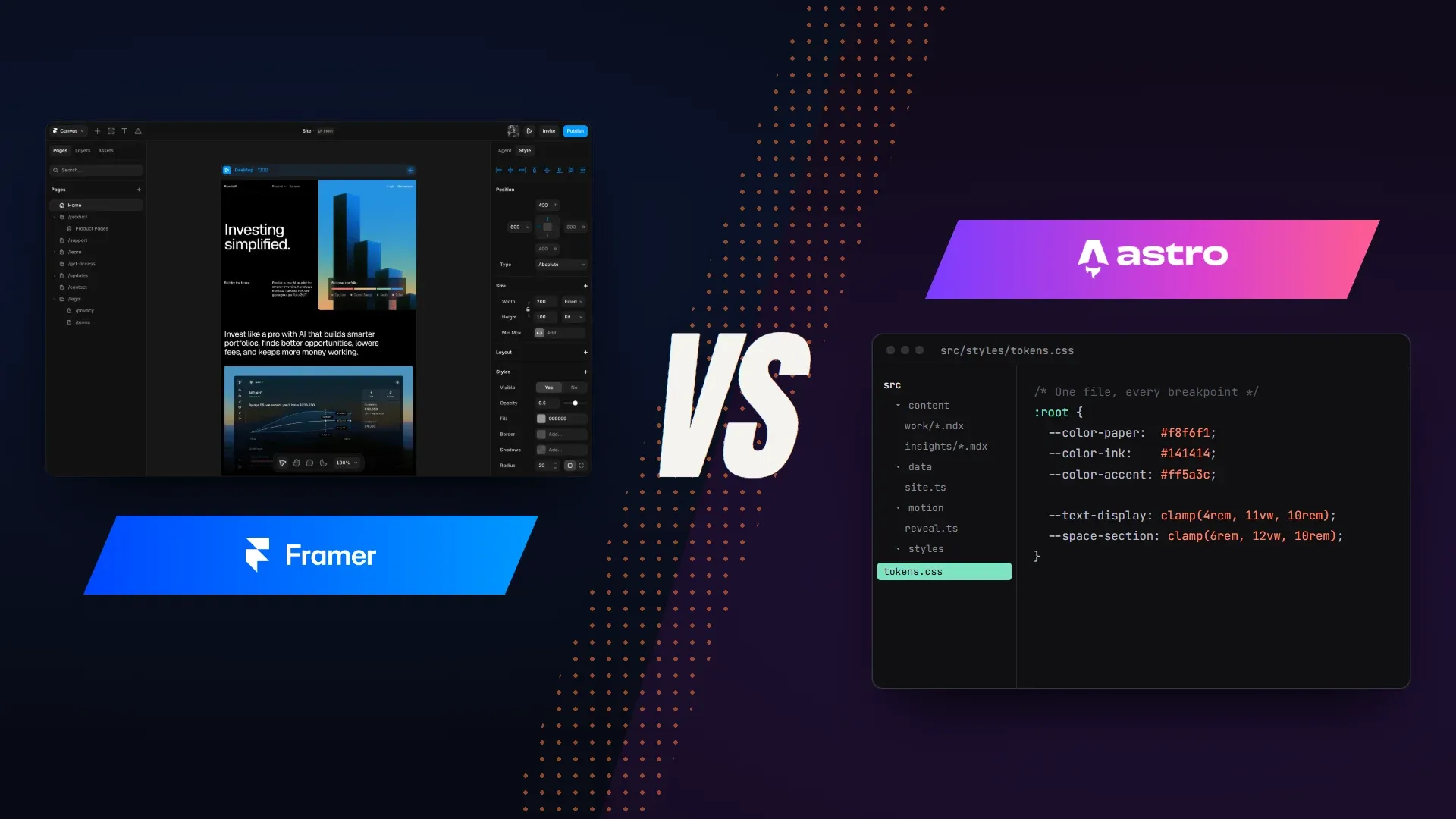
In Astro, the design system is a file
Rebuilding in Astro took longer up front. There’s no canvas, so every section starts as markup and CSS. What we got back was a site where decisions live in one place. Colors, type sizes and spacing are tokens in a single block of CSS. All the copy sits in typed data files. Case studies and articles are MDX files with a schema that refuses to build if a field is missing. Each animation is its own small GSAP module that can be switched off without touching the others.
That structure pays off every time something changes. Renaming a service, adjusting the accent color or adding a case study is a one-file edit, it shows up in version control, and it’s the same on every breakpoint because there’s only one layout.
The trade-off is plain: someone has to be comfortable in a code editor. Astro gives you nothing to click.
What Lighthouse says
We ran both home pages through PageSpeed Insights on the same afternoon, three times each on the mobile profile, and kept the median. The ranges are in brackets where the runs disagreed.
| Mobile, median of three | Framer | Astro |
|---|---|---|
| Performance score | 74 (73–98) | 98 (97–98) |
| Largest Contentful Paint | 8.5 s (1.1–8.6 s) | 1.2 s (1.2–1.3 s) |
| First Contentful Paint | 1.1 s | 1.2 s |
| Total Blocking Time | 10 ms | 0 ms |
| Cumulative Layout Shift | 0.016 | 0 |
| Speed Index | 3.9 s | 4.2 s |
| Accessibility | 97 | 100 |
The Astro build was boringly consistent: every run landed at 97 or 98, with the main image on screen in about 1.2 seconds. Framer was harder to pin down. One run matched Astro almost exactly; the other two took more than eight seconds to paint the largest element, and PageSpeed flagged around 720 KB of images that could have been smaller. Framer did win on Speed Index by a few tenths of a second, most likely because our Astro version holds some content back for its entrance animations.
The accessibility gap is small but telling. Framer’s page was missing a main landmark and had headings out of order. Both are one-line fixes when you write the markup yourself, and harder to reach when the platform writes it for you.
Treat these as one data point, not a verdict on either platform. A heavy Astro site can be slow and a careful Framer site can be fast. What changes is who controls the difference: in Astro you decide every script and image that ships; in Framer the platform decides a share of it for you.
Who edits the site after launch?
This is the question we’d ask before any of the others. Framer’s editor lets a marketing team or a client change text, swap images and publish blog posts without asking a developer. Extra editors are paid seats, but the workflow is genuinely easy.
An Astro site, out of the box, is edited by changing files. For a developer that’s faster than any CMS. For a client who has never opened a code editor, it means every typo becomes a request to you. You can close that gap by connecting a headless CMS, at the cost of another tool to set up and another account to pay for.
If the site’s long-term owner doesn’t code, Framer’s advantage here is hard to beat. If they do, it mostly disappears.
What each one costs over three years
At the time of writing, Framer charges per site: $10 a month for Basic and $30 a month for Pro on yearly billing, more if you pay monthly, with additional editors billed on top. Three years of a Pro site comes to about $1,080 before any extra seats.
An Astro site is static files. Our Astro version runs on ordinary shared hosting, and Cloudflare Pages, Netlify and Vercel all host a marketing site like this on their free plans, so the running cost is often just the domain. If you start from a template, you pay for it once.
For one site, the difference is a nice dinner a month. For a freelancer or studio running ten client sites, it’s a line in the budget worth doing the math on.
Moving from Framer to Astro
Framer doesn’t export a codebase you can keep working on. Moving Signalform to Astro meant rebuilding it, not converting it. The design tokens and the layout decisions carried over, and that saved a lot of time. The interactions, the CMS structure and the responsive rules had to be written again from scratch.
Astro sits at the other end. The site is a folder of files you can host anywhere, hand to another developer or move to another framework later. That freedom has a price, which is the setup and maintenance work Framer was doing for you.
So, Astro or Framer?
If the person who’ll live with the site is a designer or a marketing team, and speed matters more than control, start in Framer. You’ll ship sooner and nobody will need to call a developer to fix a headline.
If the site is yours, will run for years, and you’re comfortable with code, Astro gives you a faster page, a smaller bill and a project you fully own. A good template takes care of most of the extra setup, which is the main reason Framer felt faster at the start.
If you want to compare for yourself, open the Framer version and the Astro version of Signalform side by side.
Frequently asked questions
Is Astro better than Framer?
Neither is better across the board. Framer is faster to design in and easier for non-developers to edit; Astro gives you the code, lower running costs and more control over performance. The right choice depends mostly on who will maintain the site.
Can I export a Framer site to Astro?
Not directly. Framer doesn't export a codebase you can keep working on, so moving to Astro means rebuilding the site. Your design decisions and tokens carry over; the pages and interactions have to be written again.
Is Framer good for SEO?
Yes, for most marketing sites. It handles titles, meta descriptions, sitemaps and clean URLs. What you give up is fine control, such as custom structured data on every page or exactly which scripts load.
Do I need to know how to code to use Astro?
You need to be comfortable with HTML, CSS and some JavaScript. With a good template, most everyday edits happen in Markdown and data files, but there's no visual editor unless you add a CMS.